Resizing Dashboard Widgets
Originally published on my old QuintusQuill Console blog in September 2008.
Dashboard widgets have a certain width and height (often specified in your Info.plist file). If your widget content moves outside this region (such as it might during an animation), it will get clipped.
Dashboard widgets have a certain width and height (often specified in your Info.plist file). If your widget content moves outside this region (such as it might during an animation), it will get clipped.
One way to solve this problem is to specify large width and height values in the Info.plist file. However, this results in a gigantic ripple effect (much bigger than the widget itself) when the widget is launched—a bad user experience.
Luckily, there is a much better way to do this, which doesn't involve hacks or a bad user experience:
window.resizeTo(width, height);In your Info.plist file, set the width and height keys to the initial width and height of the widget. Whenever the size of your widget changes, call window.resizeTo(width, height), passing in the new width and height values of your widget. Dashboard will then know the new dimensions of your widget and your content will not get clipped.
There is also a window.resizeBy(width, height) method, where the width and height values are added to the existing width and height values of the widget area.
Note that neither of these methods resize the content of your widget—you have to do this yourself.
Now for some examples:
// Initial Width of Widget = 300; Initial Height of Widget = 200;
window.resizeTo(300, 300);
// Result: Width of Widget = 300; Height of Widget = 300;
// Initial Width of Widget = 300; Initial Height of Widget = 200;
window.resizeBy(300, 300);
// Result: Width of Widget = 600; Height of Widget = 500;Also, you can obtain the current width of the widget area using window.innerWidth, and the current height by using window.innerHeight:
// Width of Widget = 300; Height of Widget = 200;
var w = window.innerWidth;alert(w); // Result: 300
var h = window.innerHeight;alert(h); // Result: 200
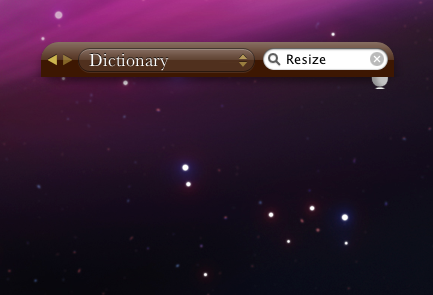
Here are some screenshots of Apple's Dictionary dashboard widget; the first one is what the widget normally looks like, and the second is what happens when you take out the window.resizeTo call:

You can read more about resizing dashboard widgets here.